Your eID, itsme app &
card reader
Belgium ties a lot of everyday admin to one physical card, which can feel unfamiliar if you are used to logging into government services with just a password. The good news is that once you have your eID, most of what you need to do with it can happen through your phone instead.
This page covers what your eID actually is, how to set up itsme so you can use it without a card reader, and when you might still need one.
Overview
Your Belgian identity document - an eID if you are an EU citizen registered here, or a residence card if you are not - is your key to a wide range of online services, from your bank account to your tax return. For most day-to-day use, the itsme app now replaces the need for a physical card reader, though it is worth understanding both since some services still expect one.
Your eID or residence card
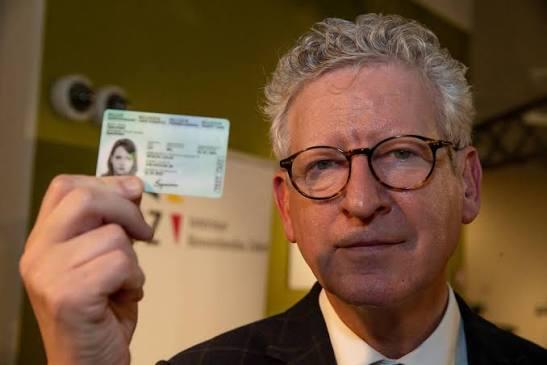
Once your municipality registration is processed, covered in Registering, moving or leaving your address, you receive a Belgian identity document. EU citizens generally receive an eID (electronic identity card), while non-EU nationals receive a residence card tied to their visa category, covered in Visa types.
Both contain a chip storing your identity data and act as your main proof of identity in Belgium - used for confirming who you are, signing documents electronically, and accessing government and banking services online. Alongside the card itself, you receive a PIN code by post, sent separately for security reasons. Keep it safe, since you need it every time you use the card online.
Setting up itsme
itsme is a Belgian identity app that links your eID or residence card to your mobile number, letting you confirm your identity without a physical card reader once it is set up. Setting it up usually requires verifying your identity once, either through your bank's app or with your card and a reader.
Once activated, you can use itsme to log into MyGov.be, your bank and tax portals, sign documents digitally, and confirm your identity for a growing number of services, using your phone's PIN, fingerprint or face recognition instead of typing in card details each time. It is widely used in Belgium, and several banks and telecom providers now expect you to verify through it.

Using a card reader
A card reader is still useful, and sometimes required, for activating itsme for the first time, and for some government portals or professional applications that only work with a direct card connection to your computer. Card readers are inexpensive and available at many bank branches and electronics shops, and some municipalities provide one when you collect your card.
Good to know: treat your PIN like a password, not disposable paperwork. If you lose it, you need to request a new one through your municipality, which takes time - so it is worth storing it somewhere safe as soon as it arrives.
Sources
- MyGov.be
& belongings